By Mark Lawson
Collaboration is the name of the game for modern business. Everyone is networking inside their own company, as well as with partners, customers and suppliers. Often the Web browser is the tool of choice, since every business has at least some sort of Internet connection these days. Using Notes for collaboration used to mean everyone having the Notes Client -- often a delivery, support, and hardware headache.
Nowadays, that solution hasn't improved as much as we might like; a custom-built Notes Web solution can be a surprisingly expensive option which might suit one purpose but not another. Lotus claims to have has developed the QuickPlace system to cover this gap. QuickPlace is an easy to use, easy to administer, general purpose, Web-based collaborative system that works either with an R5 Domino server or as a standalone server. At Version 1.01 it's still evolving, but it might just be what you're looking for.
Installing, standalone, or over Domino
The current release of QuickPlace runs only on Windows NT, though other platforms are promised later. As mentioned above, you have two options for installation. If you install standalone, you get a sort of minimal Domino server with no interface and all the tasks (like HTTP) run as NT services. If you install over Domino, you need to have the latest release (R5.01) set up first. QuickPlace won't work over earlier releases. On Domino, QuickPlace seems to operate in "stealth mode". No extra tasks appear; you just get a brief "QuickPlace starting" message as the HTTP task comes up.
Both Domino and a standalone server work, and in some cases it might be simpler to have a separate QuickPlace server box. Personally, I found QuickPlace over Domino a neater solution. To run as a client, you'll need a late model browser. That's to say Netscape 4.5 or Internet Explorer 4.0 Service Pack 1 or later with Java and JavaScript enabled. There's no support for Macs yet, but Lotus claims it's coming.
Creating a Quickplace
Once installed, your "home" QuickPlace is http:\//www.your-site.com/Quickplace. This shows a Welcome page with buttons for a Tutorial, Examples, and Create a QuickPlace. As manager, you also see a Server Settings button, which allows you to restrict who can create a QuickPlace, among other things. Anyone with rights simply presses the Create a QuickPlace button, fills in a couple of questions like the name, name of manager, and password and Presto! -- a new QuickPlace (about 2Mb) is created with the address of http:\//www.your-site.com/qpname. A newly created Demo site is shown in Figure A.
FIGURE A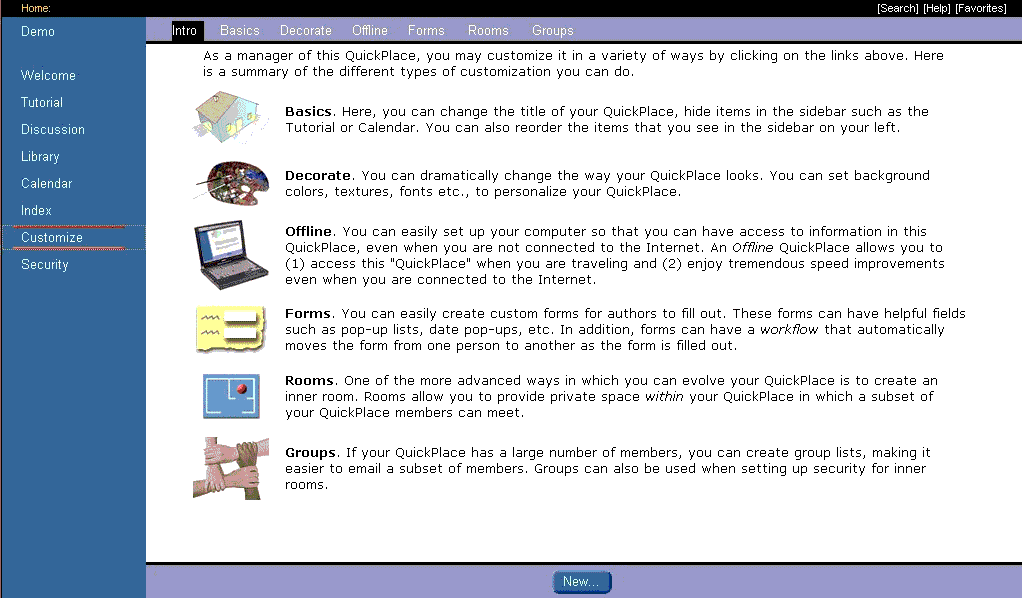
The newly created Demo QuickPlace. (click for larger image)