By Mick Moignard
Recently, I noted Rocky Oliver (at http://www.lotusgeek.com) discuss a Notes mail signature block generator that he has developed for the Lotusphere 2006 team. Check it out at http://www.LotusGeek.com/SapphireOak/LotusGeekBlog.nsf/d6plinks/ROLR-6F6NJH. Reading his piece reminded me of a signature generator I did a couple of years back.
Rock stated that his objectives were:
- It has to be mailable, so all of the files and code have to be able to be contained in a single mail memo;
- It has to be easy; it needs to simply ask some questions about identity, and do all the work;
- Simplicity means it needed to automatically update the file and detach it and the graphic file into the appropriate directories;
- Simplicity also means that it needs to modify their Mail Preferences to enable the signature feature and point it to the newly created file.
My objectives were not hugely different. Mine was to be a shared database on disk, but like Rock's, I wanted templates for the signature blocks, with replaceable content. I also wanted it to show them what they were going to get before they got it, so that they could play with it. I shared Rock's last point about having it automatically update the mail preferences.
So what did mine look like? You can download a copy from the DominoPower servers at http://zipserver.zatz.com/dp20051005-html-signatures.zip. Follow along as I show you how you can use it, and then, over the next few weeks, I'll show you how it works.
Even though I first created it waaay back in 2002 when R5 was mainstream and Notes 6 was up and coming, some of the features I added then are still cool now. Well I think so, and I'm the one writing this piece!
Let's explore as a user will see it
Figure A shows what an end-user sees when he or she opens the signature generator.
FIGURE A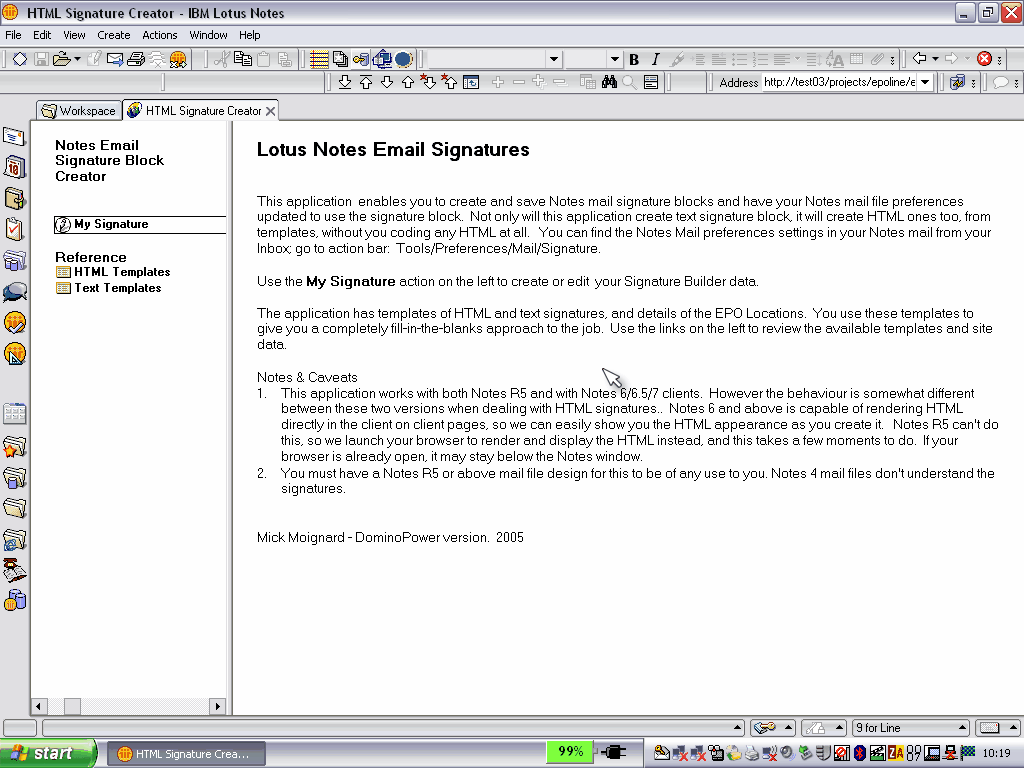
Here's the Signature Generator description page. (click for larger image)
First up is a descriptive piece, and the top menu item on the left is My Signature. More on that in a second.
You can also see that there are views a user can browse of signature block templates. These are things that the administrator can create. They enable end-users to create a customized signature block quickly from the template, which simplifies things but can still supply or enforce house standards.
You will note that it supports both HTML and text signatures and the concept of canned location data -- company/site name details and so on. We'll examine the templates in more detail when we look at the admin functions. Just note that for now, the end-users can't edit templates or sites.